


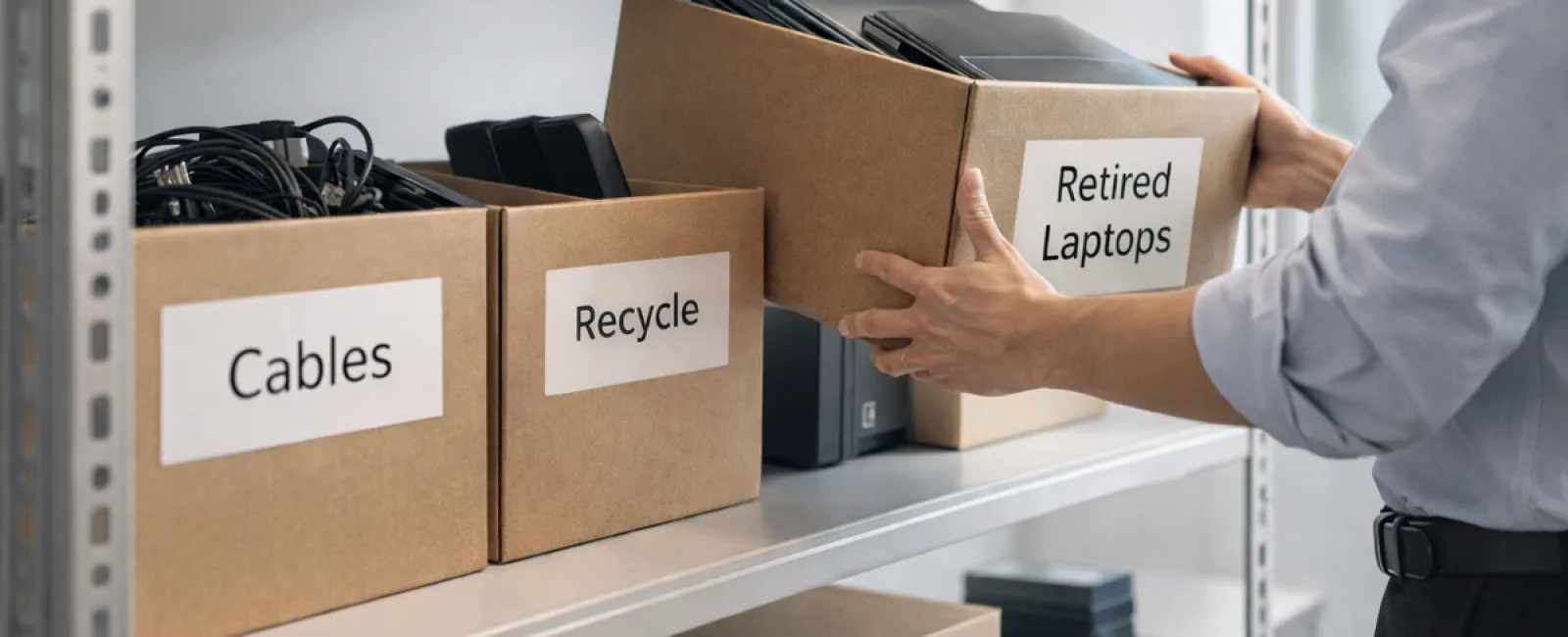
Many businesses start spring cleaning with closets, but often the biggest clutter isn't there—it's hidden in your technology assets.
Old equipment might be gathering dust on a server rack, tucked away in storage rooms, back offices, or piled under "to be sorted later" labels.
Outdated laptops, retired printers, backup drives from previous upgrades, and unused cables kept "just in case" are common culprits.
This accumulation happens to every business.
The important question is not whether you have excess tech, but whether you have an effective plan to manage it.
The IT Lifecycle Extends Beyond Purchase Dates
Purchasing new technology happens for clear reasons—speed, security, enhanced capabilities, and growth support.
While many companies carefully plan technology acquisitions, few have a strategy for decommissioning outdated devices.
Retiring equipment usually happens quietly: devices are replaced, set aside, then eventually cleared out.
This is normal, but what's uncommon is approaching equipment retirement with the same deliberate planning as when making the purchase.
Unused tech still holds value—whether through reuse, recycling potential, or sensitive data storage—yet it can also cause operational inefficiencies by cluttering space.
Spring offers a perfect opportunity to evaluate: What's still productive, and what's merely occupying space?
Four Steps for Effective Technology Decluttering
Transform talk into action with our straightforward four-step guide.
Step 1: Take Inventory
Identify exactly what you're retiring—laptops, phones, printers, network devices, external drives? If you don't know what's there, it's unmanageable; a simple walkthrough often uncovers surprises.
Step 2: Choose a Responsible Path
Assign each device to reuse (internal use or donation), certified e-waste recycling, or secure destruction (for sensitive data). Intentional decisions prevent indefinite storage.
Step 3: Prepare Devices Securely
Proper preparation is essential.
If devices are reused or donated, remove them from management systems, revoke access, and thoroughly wipe data—not just a factory reset. Simple deletion doesn't erase data—just its indexing.
Research by data security leader Blancco revealed 42% of drives resold on eBay still contained personal data despite claims of wiping. Certified data erasure tools overwrite all sectors and provide verification reports.
For recycling, choose certified e-waste vendors—dumpsters and curbside pickups won't cut it. Note: Best Buy's program serves households only, not businesses.
Business equipment requires certified IT asset disposition providers with e-Stewards or R2 certification (searchable at e-stewards.org and sustainableelectronics.org). Your IT team can assist.
When destroying equipment, opt for certified data wiping or physical destruction like shredding or degaussing. Track device serial numbers, methods, dates, and handlers for accountability.
This is not about paranoia—it's about completing the cycle responsibly.
Step 4: Record and Proceed
Once equipment departs your premises, confirm where it went, how it was processed, and that access was revoked. Documentation eliminates doubt.
Often Overlooked Devices
Laptops often get attention, but many devices fly under the radar.
Phones and tablets may retain emails, contacts, or authentication apps. While factory resets cover basics, certified mobile wipes offer better security. Many manufacturers provide trade-in credits, even for older models.
Modern printers and copiers have internal drives storing everything ever printed, scanned, or faxed. When returning leased copiers, get written confirmation that hard drives are wiped or removed before redeployment.
Batteries are regulated as hazardous waste. In several states, businesses cannot legally discard rechargeable batteries in regular trash. Remove batteries from devices, tape terminals to prevent shorts, and use certified drop-off sites. Call2Recycle.org and many retailers accept them.
External drives and retired servers often linger in closets far too long but should be included in your equipment management process like any other device.
Recycling: Doing It Right
April's Earth Day is a reminder that e-waste belongs out of landfills. Over 62 million metric tons of e-waste is generated annually, yet only about 22% is properly recycled.
Batteries, monitors, and circuit boards must enter certified recycling streams. Thankfully, most communities provide access to these services.
Handled carefully, retiring tech can be an operational win, environmental responsibility, and strategic advantage simultaneously. Secure disposal doesn't have to come at the expense of environmental care—you can achieve both.
Doing this quietly can even boost your company's reputation when customers notice your responsible practices on social media.
Unlocking Greater Possibilities
Spring cleaning isn't just about discarding—it's about creating room to innovate and grow.
Clearing old devices is one step, but it also invites a bigger question: Does your technology truly empower your business to operate efficiently and competitively?
While hardware cycles through, software, system integration, automation, and process design ultimately fuel profitability and productivity.
Properly retiring technology is smart upkeep; aligning your tech ecosystem with business goals propels you forward.
How We Support You
If you already have an efficient technology retirement process, fantastic—this should feel simple and routine.
At the same time, re-evaluating your systems and tools ensures that your technology is a growth enabler, not just a basic utility.
We're here to offer a clear, practical conversation about optimizing your technology stack, systems, and workflows to boost productivity and profits—no pressure, no checklists.
Click here or give us a call at 419-678-2083 to schedule your free 10-Minute Discovery Call.
If this insight could help another business, please share.
Remember, spring cleaning goes beyond closets—it's about refreshing the systems that drive your business.


